 CTRINO
Professional natal charts inside WordPress
A complete natal-chart tool that runs on your own server, not on someone else's API. Your visitors' birth data never leaves your site, there are no keys to wire up, and the math is precise for professional work. One annual license, supported directly by the person who built it.
What's included
A professional chart tool, not a toy widget
Three calculation engines
Most plugins ship API-based calculations. You get three engines: Core (pure PHP, instant), Table (JPL DE440 tables, sub-arcsecond), and JPL Horizons (NASA's live API). Trade speed for precision per chart, right from the admin.
Birth data never leaves your site
Every calculation happens on your server. Names, dates and birth times stay with you and never travel to a third party. The engines needs no API key at all.
A real chart, not a flat image
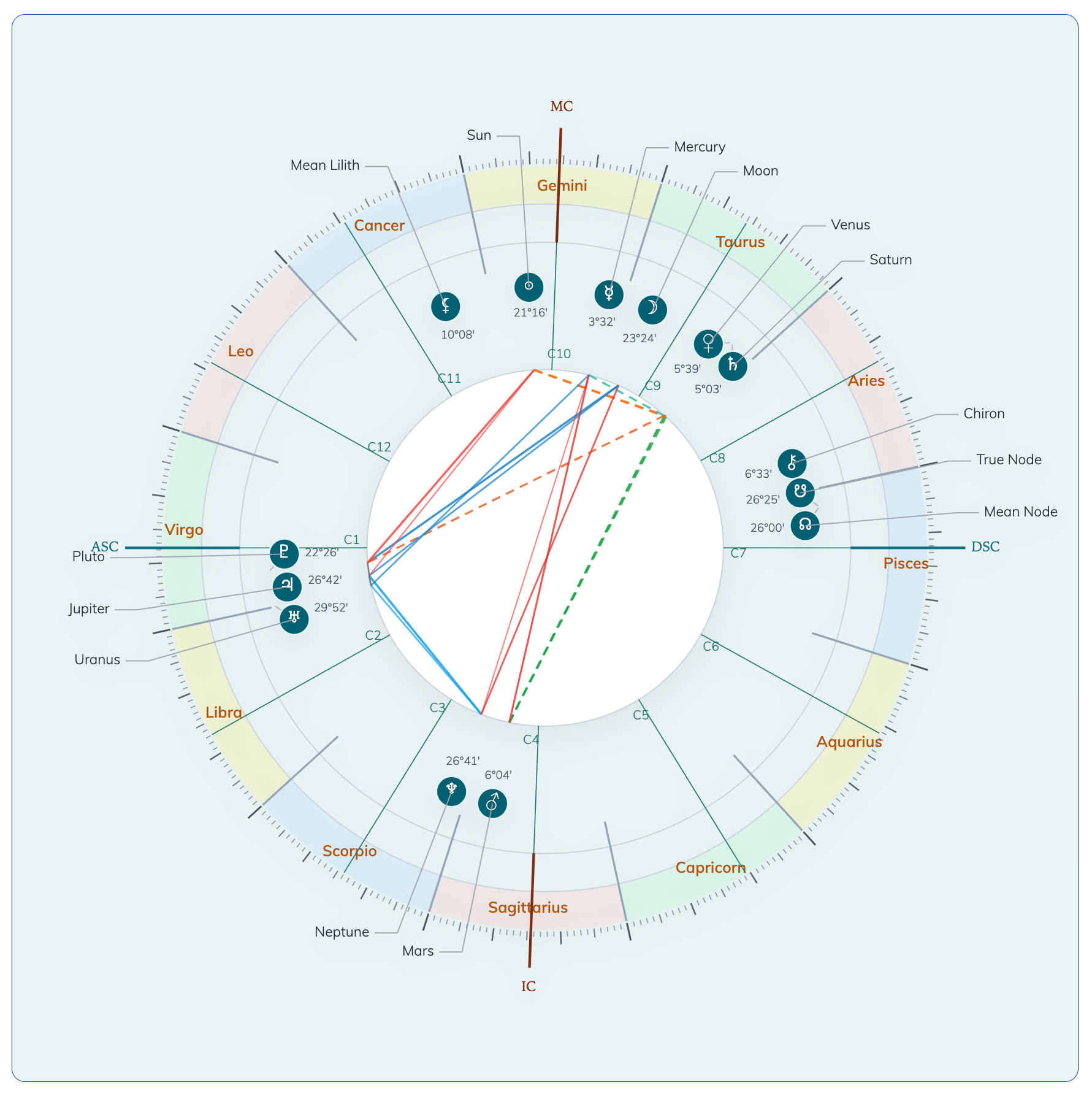
Crisp, scalable SVG with 14 points (planets, lunar nodes, Chiron, Lilith), zodiac bands, house cusps and filterable aspect lines, exact degrees on the wheel, and glyphs that never overlap.
Sky of today widget
A ready-to-embed wheel of today's sky for any place, no form required. Set the moment to live now, local noon, midnight or a fixed hour. One shortcode, one place name, perfect for a home page.
Solar Return
Cast the birthday chart for any year and show it next to the natal chart, stacked or in tabs.
7 house systems
Placidus, Koch, Regiomontanus, Campanus, Porphyry, Equal and Whole Sign, each spelled out in full. Set a default or choose per shortcode.
Visual configurator
Tweak colors, sizes, fonts and on-wheel degrees with a live SVG preview. Export the look as JSON and import it to clone it across every site you run.
English, Italian, Spanish
Admin and frontend fully translated. Add your own language with standard WordPress .po files.
Shortcode docs built-in
Copy-paste examples live right in the settings page, and the full attribute reference ships with the plugin in SHORTCODES.txt.
Theme presets & CSS override
Light, dark and minimal presets out of the box. Override any single color straight from the shortcode with one JSON attribute.
How it works
Three shortcodes, zero setup
Drop a shortcode into any page or post. With no attributes, the natal and ascendant shortcodes show the input form to your visitor, and the place field confirms the matched city before it calculates. Add attributes to pre-fill the data or hide the form. The sky-of-today shortcode only needs a place.
Shows the input form to your visitor. No attributes needed.
Today's wheel for a place. Just pass a place name.
Skip the form and pass the birth data plus styling.
date="1990-03-15"
time="14:30"
place="Rome, Italy"
show_form="0"
layout="tabs"
theme="dark"
]
Just the rising sign and its degree.
date="1990-03-15"
time="14:30"
lat="41.9028"
lon="12.4964"
timezone="Europe/Rome"
output="long"
]
Every attribute and every example ships inside the plugin in SHORTCODES.txt, and shows up in the settings page as a copy-paste box.
Why AstroChart
Built for working sites, not demos
Most astrology widgets are JavaScript embeds that phone home to a remote API and lock you in. AstroChart is a self-contained WordPress plugin running on NASA-grade open data, fully on your own server.
No keys, no metering
The default Core engine is pure PHP. There's no account to create and no usage meter ticking in the background. It just runs.
Self-contained, by design
The engine and its data live on your site, so no outside service can shut down, raise its price, or throttle you. Install it once and it keeps working.
NASA-grade accuracy
About one arcminute on modern dates against NASA's JPL Horizons. For pre-1900 work or deep history, the Table engine holds sub-arcsecond precision across 1600 to 2200.
Privacy you can promise your clients
Dates, times and names are never transmitted anywhere. Only a place name reaches the geocoder, and only if you choose to use one.
Native to your theme
Plain HTML and SVG, no iframes. CSS variables are exposed so your theme can restyle anything cleanly.
Documented and tested
More than 480 automated tests, including accuracy checks against the JPL DE440 and Horizons references. The plugin ships its own docs and exposes WordPress filters for developers.
Pricing
One license, one fair price
A full year of updates and direct support. When the license lapses the plugin keeps working. You simply stop getting new updates until you renew. No auto-renewal or held-hostage features.
Frequently asked questions
FAQ
How much does it cost?
$100 a year for a single site. That buys a full year of updates and direct support from me. When it lapses the plugin keeps running; you just stop getting new updates until you renew. There's no trial period and no paywalled core: what you install is the entire plugin. It carries the GPL-2.0-or-later license, the same as WordPress.
Is my users' birth data safe?
By default, yes. The Core and Table engines run entirely on your server, so birth dates, times and names never leave your site.
The third engine, JPL Horizons, is opt-in and experimental. When enabled, it sends the calculation time (the birth moment in UTC) to NASA's public ephemeris API. Just the timestamp, never the name, the form data, or the rendered chart.
If a visitor types a place name and you use a geocoder, only the place string is sent, never the birth date or time.
Where does the planetary data come from?
From NASA. The pre-computed binary tables used by the Table engine are derived from JPL DE440, the same source data NASA's own Horizons service uses. JPL DE440 is in the public domain. The generation pipeline is built on the open-source skyfield library (MIT). No third-party astrology library is involved.
Which calculation engine should I use?
For modern dates (1900 to 2050) the default Core engine is precise enough for professional work: typical error is about one arcminute on the fast planets, never enough to move a planet between signs or houses. For pre-1900 dates or historical research, switch to Table (JPL DE440 binary tables, sub-arcsecond across 1600 to 2200). JPL Horizons is an experimental engine that calls NASA's live API for cross-checking.
Can I customize the look of the chart?
Yes, in three ways: theme presets via shortcode (theme="dark"), a JSON CSS override via shortcode (css='{"accent":"#38bdf8"}'), and the admin visual configurator for colors, sizes, fonts and on-wheel degrees, with a live SVG preview and JSON export/import.
How do I get support?
Email me directly at simon@ctrino.com. You reach the person who actually wrote and tested the plugin, not a ticket bot or an outsourced agent. Bug reports and feature requests go to the same address.